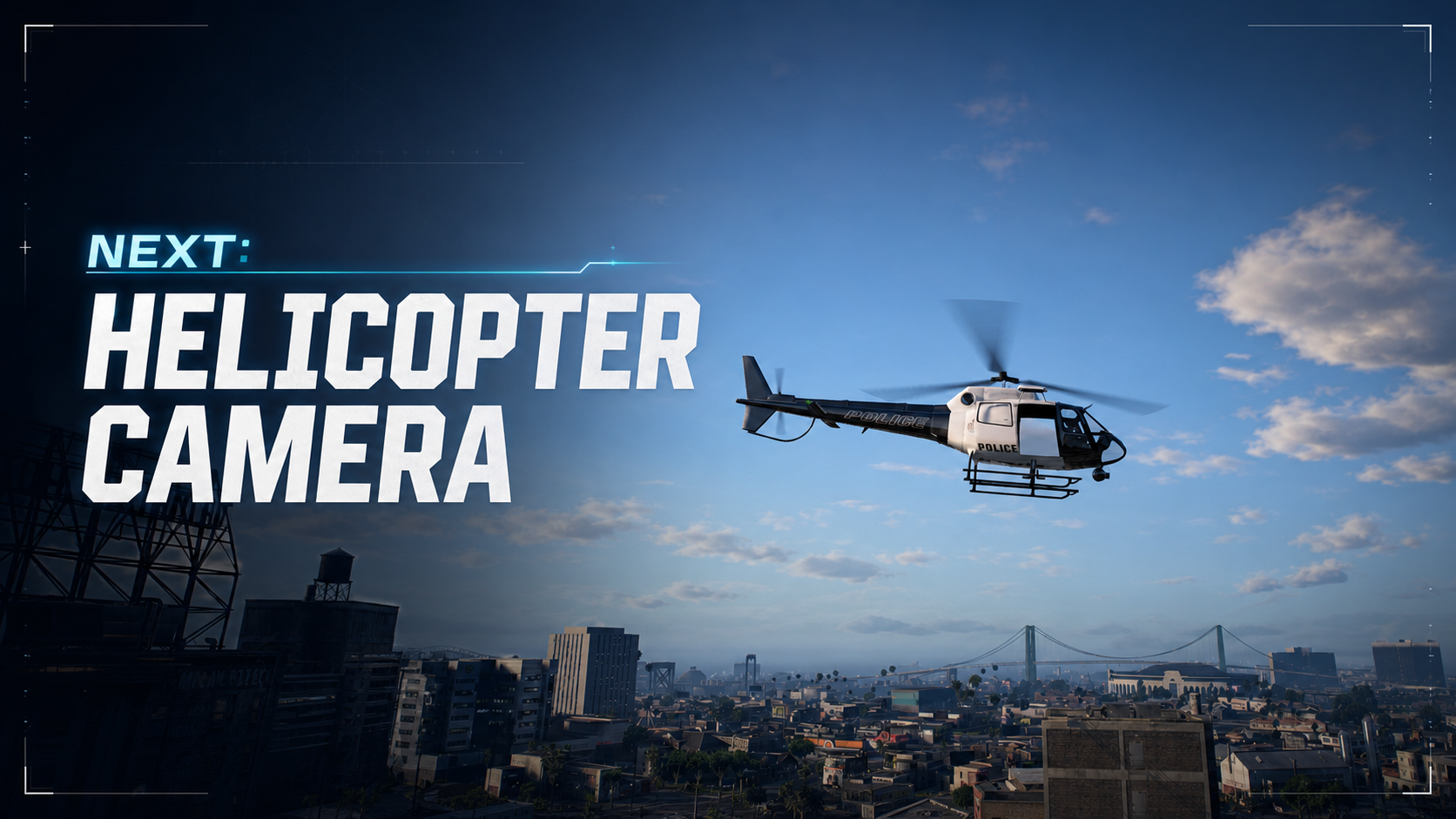






NEXT: HELICOPTER CAMERA
https://www.youtube.com/watch?v=QC609eCHvNY
Professional airborne surveillance for FiveM police, sheriff, emergency response, and tactical aviation units.
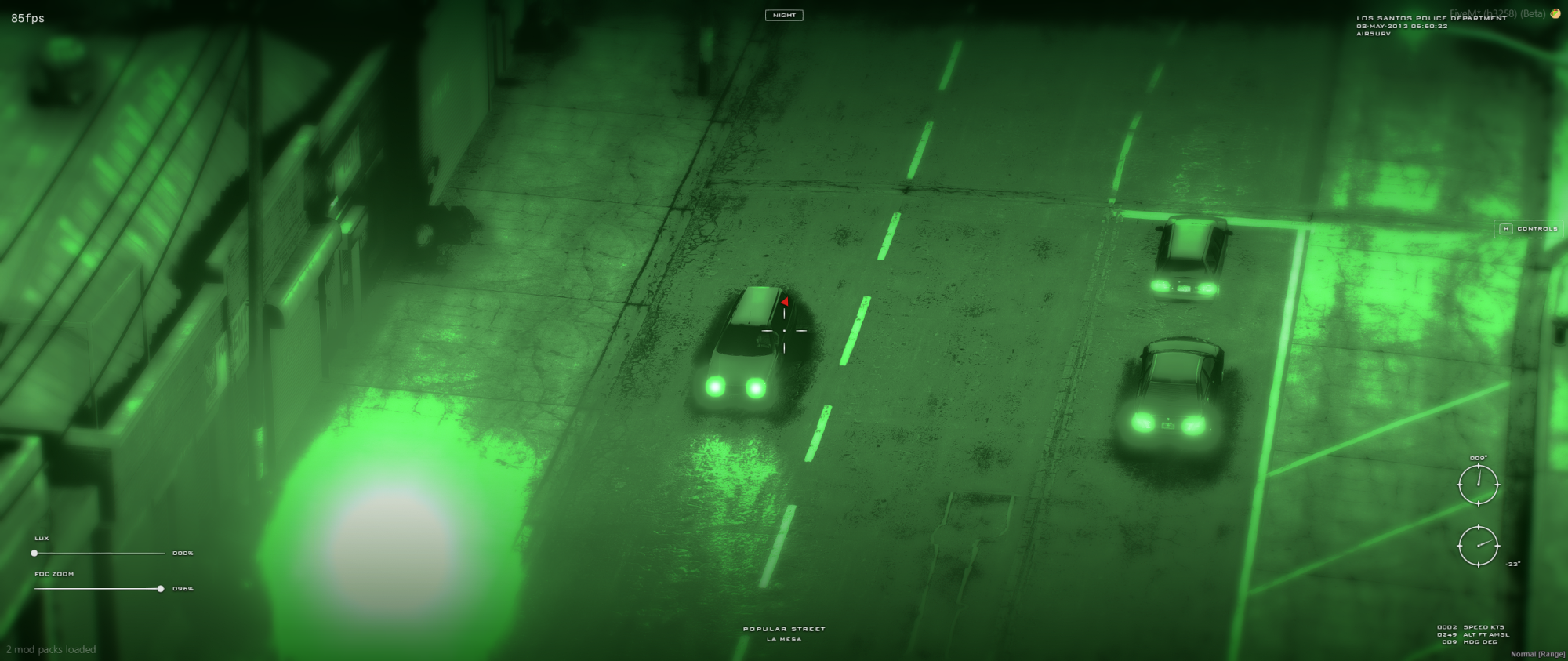
Next: Helicopter Camera transforms helicopter operations into a complete air-support experience. Track vehicles, identify streets, control a synchronized spotlight, switch between vision modes, and monitor detailed flight and target telemetry through a clean law-enforcement camera interface.
The resource is standalone, optimized for active servers, and ready for optional ESX Legacy and custom HUD integration.
━━━━━━━━━━━━━━━━━━━━━━━━━━━━━━━━━━━━━━━━
KEY FEATURES
• Professional helicopter surveillance camera interface
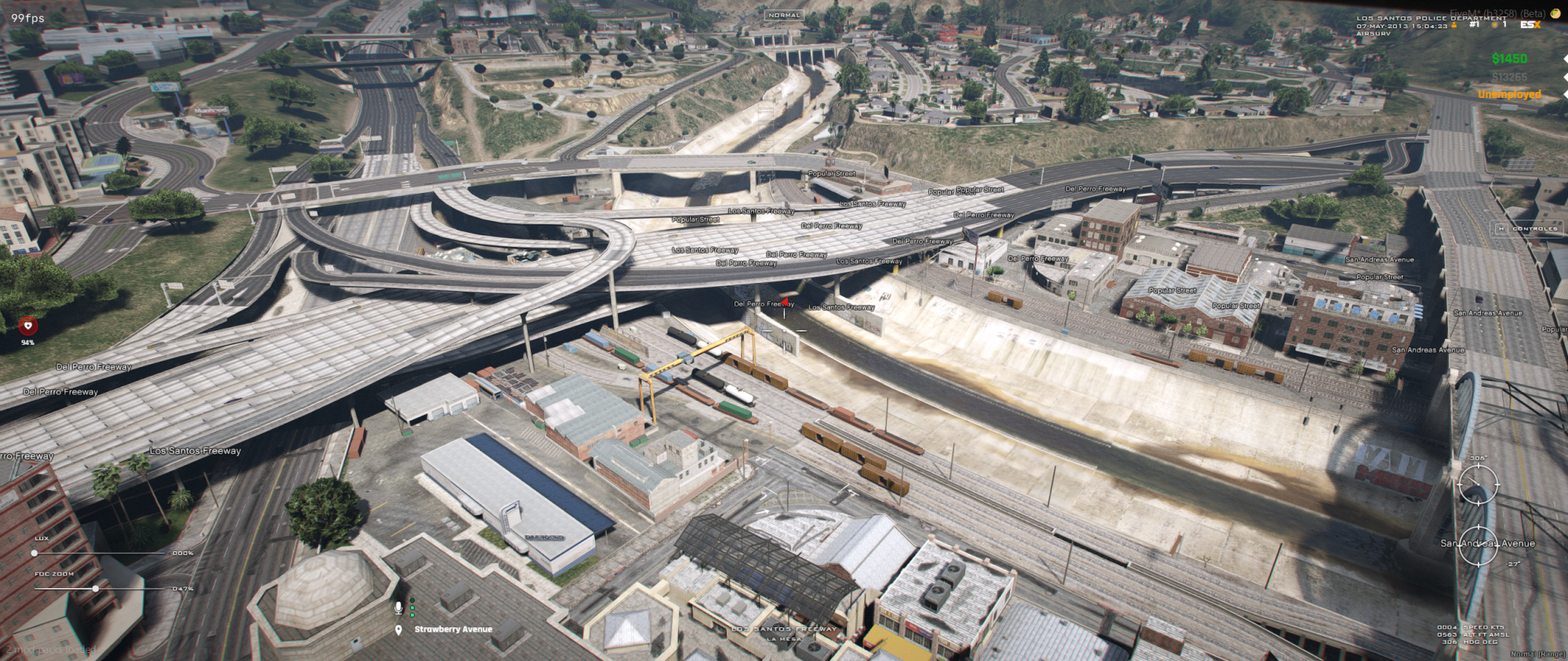
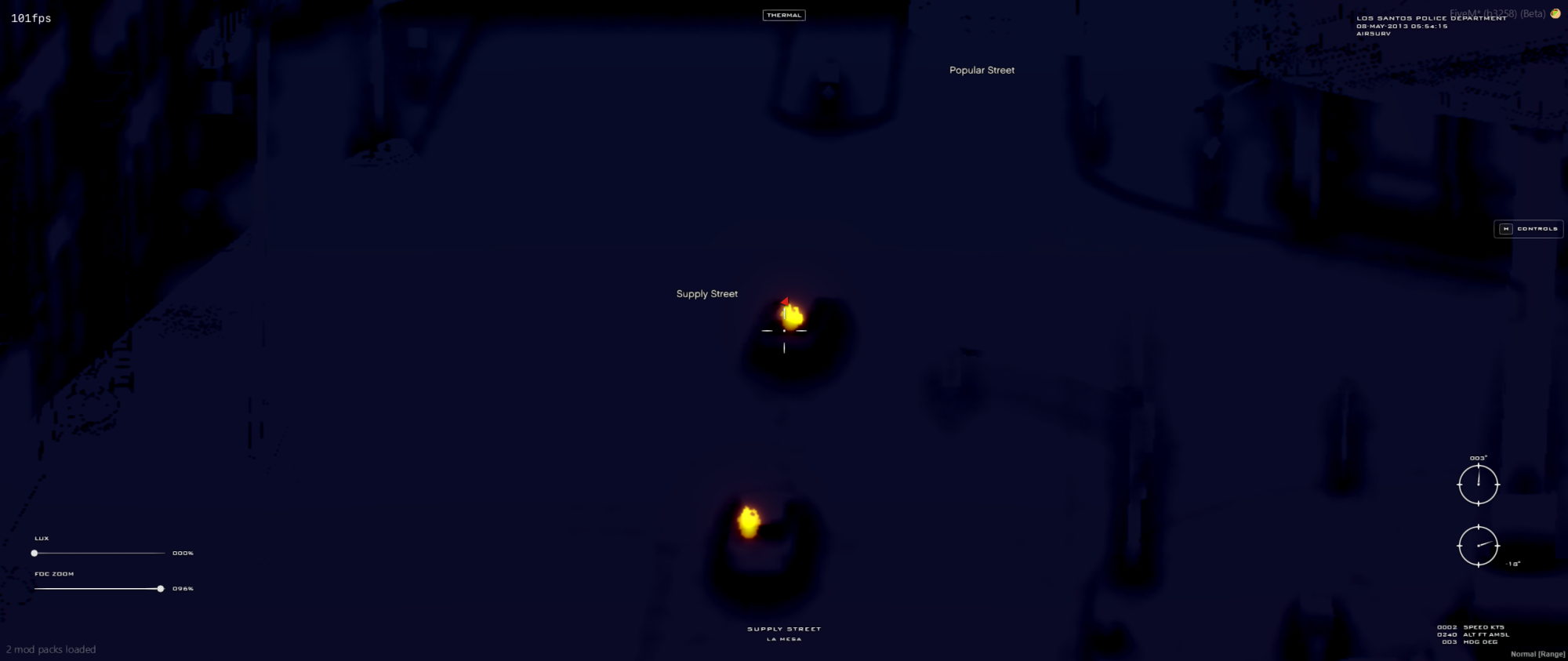
• Normal, night vision, and thermal vision modes
• Vehicle detection and camera lock-on
• Manual and vehicle-tracked spotlight
• Synchronized spotlight visible to other players
• Adjustable spotlight intensity and beam radius
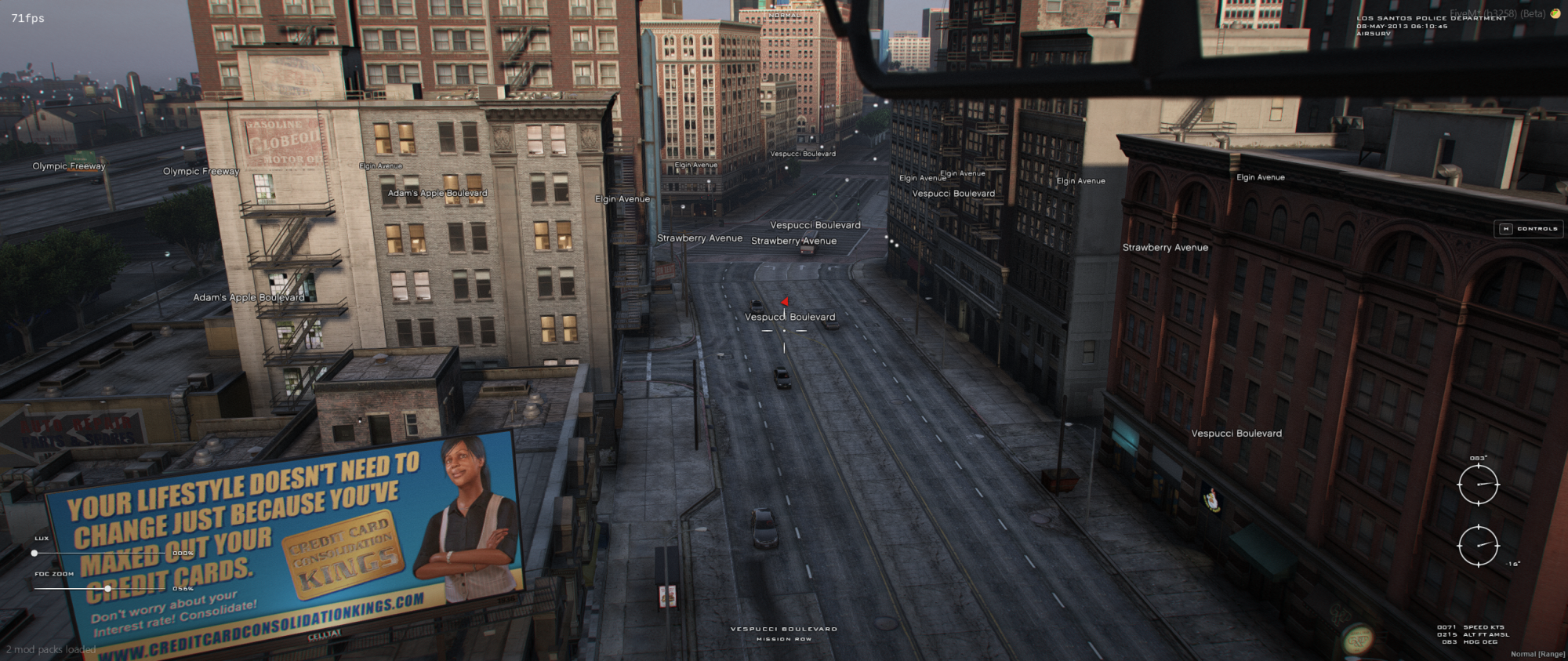
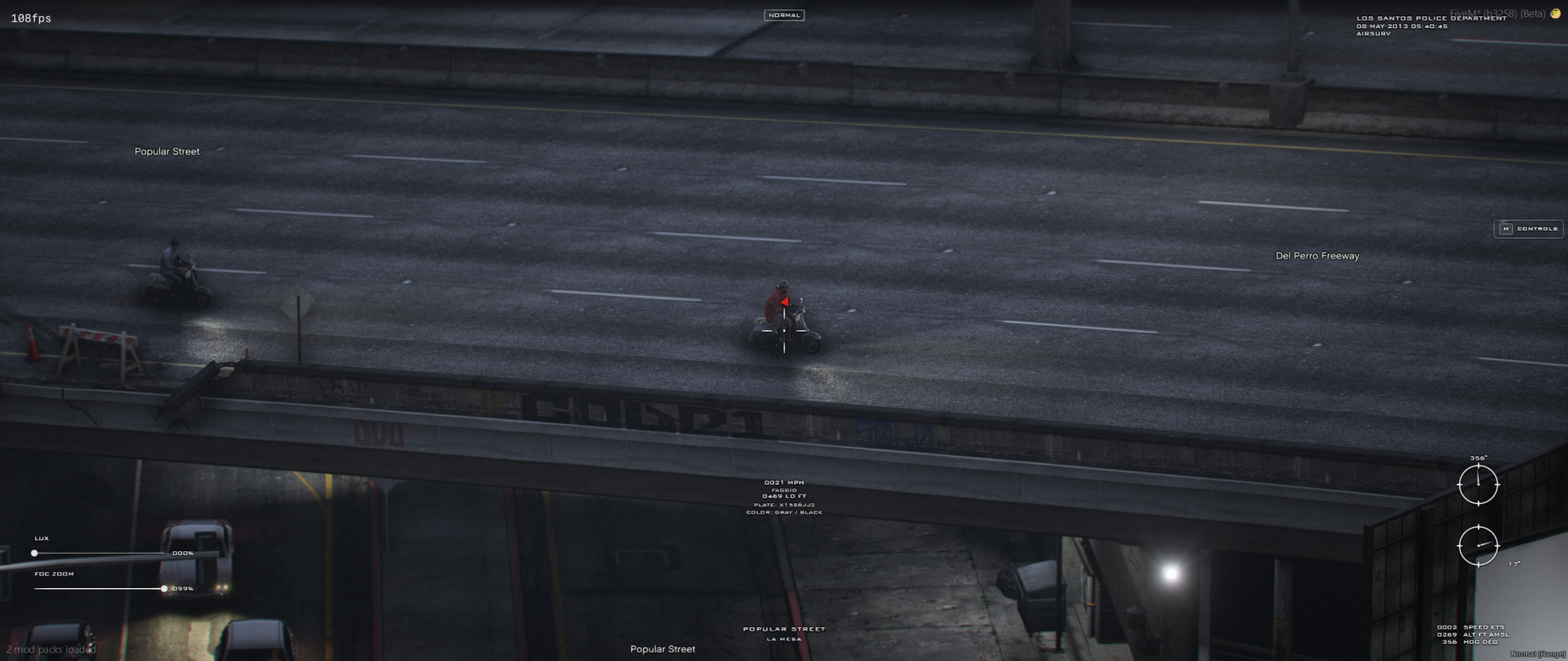
• Stable 3D street-name labels positioned on road nodes
• Street and district identification at the observed position
• Vehicle speed, model, distance, license plate, and localized color
• Camera heading and pitch indicators
• Helicopter speed, altitude, and heading telemetry
• Smooth zoom and configurable field of view
• Configurable high-detail world streaming
• Automatic native HUD, radar, radio, and weapon-control suppression
• Animated controls panel
• Client and server exports for custom integrations
• Camera enter and exit events
• Per-player agency-name customization
• Five included languages
━━━━━━━━━━━━━━━━━━━━━━━━━━━━━━━━━━━━━━━━
AIR SUPPORT INTERFACE
The camera interface provides the operator with the information required during aerial patrols and pursuits:
• Current street and district
• Camera heading and vertical angle
• Helicopter speed in knots
• Altitude above mean sea level
• Heading in degrees
• Camera zoom percentage
• Spotlight intensity
• Active camera mode
━━━━━━━━━━━━━━━━━━━━━━━━━━━━━━━━━━━━━━━━
VEHICLE INTELLIGENCE
When the reticle is aimed at a vehicle, the system can display:
• Vehicle speed in MPH
• Vehicle model
• Distance from the camera in feet
• License plate
• Localized primary and secondary color names
Factory colors are translated using the selected resource locale. Custom RGB paint is displayed as an exact hexadecimal value. Plate and color telemetry can be enabled or disabled independently.
━━━━━━━━━━━━━━━━━━━━━━━━━━━━━━━━━━━━━━━━
SYNCHRONIZED SPOTLIGHT
Enable the spotlight in manual mode or lock the camera onto a vehicle for automatic tracking. Operators can adjust brightness and beam radius in real time.
The spotlight is synchronized between players, allowing units on the ground and other nearby players to see the helicopter light during an operation.
━━━━━━━━━━━━━━━━━━━━━━━━━━━━━━━━━━━━━━━━
STREET IDENTIFICATION
The system scans nearby vehicle road nodes and places stable 3D street-name labels around the observed area. Spatial caching keeps labels attached to consistent world positions instead of constantly moving between nodes.
Configurable level-of-detail settings reduce visual clutter at wide zoom levels and provide denser information while zoomed in.
━━━━━━━━━━━━━━━━━━━━━━━━━━━━━━━━━━━━━━━━
CONTROLS
• E — Enter or exit the camera
• Mouse — Move the camera
• Mouse Wheel — Zoom in or out
• Right Mouse Button — Cycle vision mode
• Space — Lock or unlock a vehicle
• G — Enable or disable the spotlight
• Up Arrow / Down Arrow — Adjust spotlight intensity
• Caps Lock / Left Shift — Adjust spotlight radius
• Q — Show or hide street-name labels
• H — Show or hide the controls panel
Controls use configurable FiveM control IDs.
━━━━━━━━━━━━━━━━━━━━━━━━━━━━━━━━━━━━━━━━
INCLUDED LANGUAGES
• English
• Brazilian Portuguese
• European Portuguese
• Spanish
• Russian
━━━━━━━━━━━━━━━━━━━━━━━━━━━━━━━━━━━━━━━━
CONFIGURATION
Available configuration options include:
• Allowed helicopter models
• Minimum camera activation height
• Driver camera access
• Camera field of view, zoom, rotation speed, and visual filter
• Maximum observation and vehicle lock-on distance
• HD streaming behavior
• Spotlight brightness, radius, range, falloff, and synchronization
• Vehicle plate and color telemetry
• Street-label appearance, scan range, cache behavior, and level of detail
• Interface language
• Control bindings
━━━━━━━━━━━━━━━━━━━━━━━━━━━━━━━━━━━━━━━━
FRAMEWORK AND HUD INTEGRATION
Next: Helicopter Camera is standalone and does not require a framework.
The included client/editable.lua file automatically detects es_extended and uses the public esx_hud integration when available. The file remains outside Asset Escrow so custom frameworks and HUD resources can be integrated without modifying protected source code.
No modifications to esx_hud or other external resources are required.
━━━━━━━━━━━━━━━━━━━━━━━━━━━━━━━━━━━━━━━━
DEVELOPER INTEGRATION
Check the local camera state:
local usingCamera = exports['NextHeliopterCamera']:IsUsingCamera()
Check another client player:
local usingCamera = exports['NextHeliopterCamera']:IsUsingCamera(playerId)
Check a player from the server:
local usingCamera = exports['NextHeliopterCamera']:IsPlayerUsingCamera(source)
Set a custom agency name:
exports['NextHeliopterCamera']:SetAgencyName('LOS SANTOS SHERIFF DEPARTMENT')
The default agency name is LOS SANTOS POLICE DEPARTMENT.
Camera lifecycle events:
AddEventHandler('NextHeliopterCamera:cameraEntered', function(helicopter)
-- The local player started using the camera.
end)
AddEventHandler('NextHeliopterCamera:cameraExited', function()
-- The local player stopped using the camera.
end)
The replicated usingHelicam player state is also available for custom integrations.
━━━━━━━━━━━━━━━━━━━━━━━━━━━━━━━━━━━━━━━━
REQUIREMENTS
• FiveM server using the Cerulean FXServer runtime
• One or more configured helicopter models
• No required framework dependency
ESX Legacy and esx_hud support are optional.
━━━━━━━━━━━━━━━━━━━━━━━━━━━━━━━━━━━━━━━━
INSTALLATION
1. Place NextHeliopterCamera inside your server resources directory.
2. Add ensure NextHeliopterCamera to server.cfg.
3. Configure the resource for your server.
4. Restart the server or start the resource.
━━━━━━━━━━━━━━━━━━━━━━━━━━━━━━━━━━━━━━━━
ASSET ESCROW
The resource uses FiveM Asset Escrow. Protected source files remain encrypted, while client/editable.lua is available for framework and HUD integrations.
━━━━━━━━━━━━━━━━━━━━━━━━━━━━━━━━━━━━━━━━
IMPORTANT INFORMATION
• Helicopter vehicle models are not included
• Framework packages and third-party HUD resources are not included
• Support is provided through the official NextPed Discord community
Our support team is available 24/7 on Discord to assist you with any questions.
Join Discord 24/7 Community SupportYour purchase is delivered automatically right after checkout. No waiting.
All transactions are processed through Tebex with enterprise-grade encryption.
Get all future updates and improvements included with your purchase at no extra cost.

Gift Next: Helicopter Camera and have it sent directly to their CFX.re account, so you don't have to transfer it after purchase.
